Description
Advanced filters offer a powerful way to filter all posts using any combination of the following:
- Keyword in caption
- Time point
- Hashtag
- Post Type
- Mention
- Language
- Post Filter
- Country
- Location
- Likes/Post Range
- Comments/Post Range
In the following example, 2 active filters are shown at the bottom of the screen.
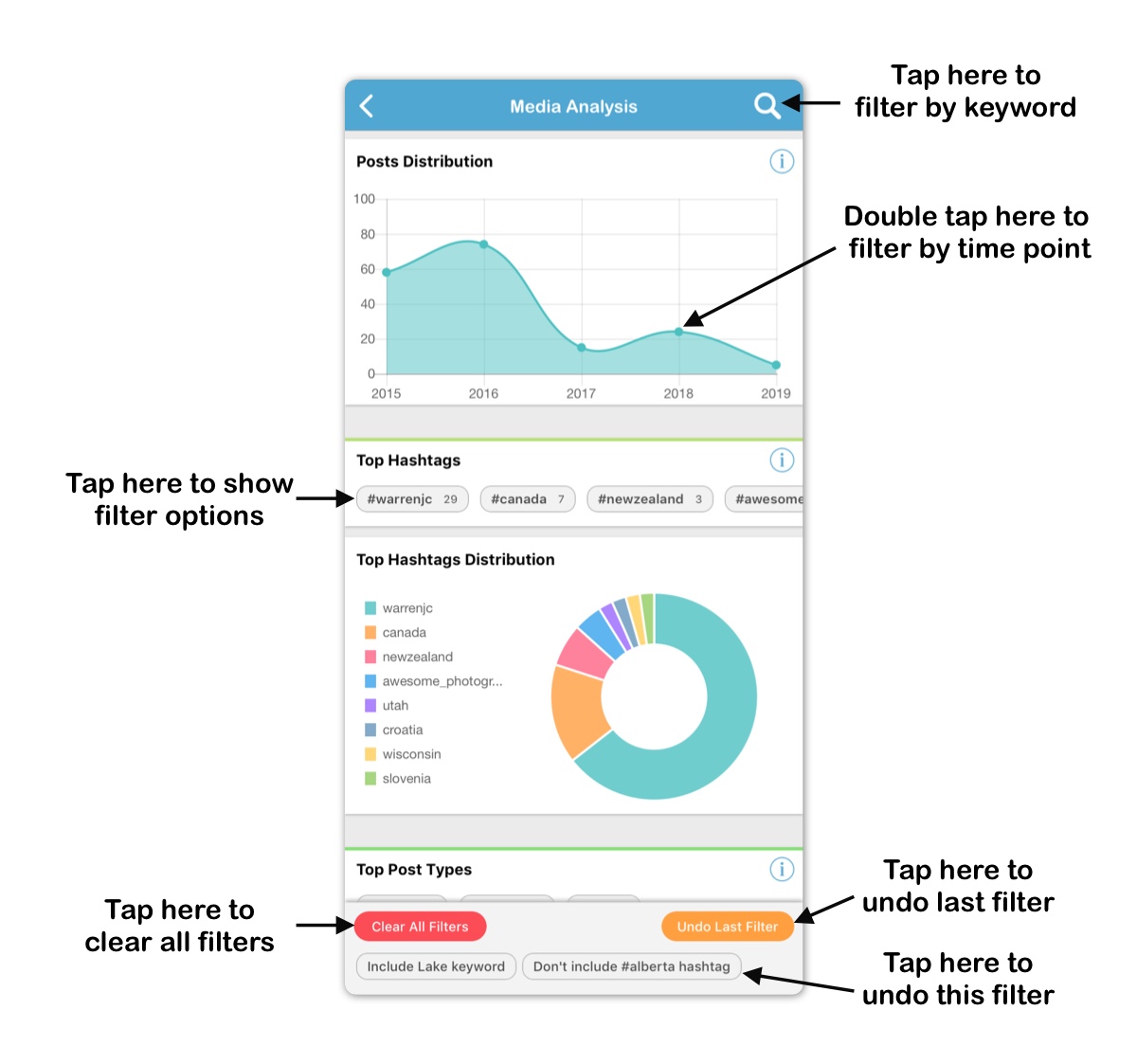
The first filter includes only posts that have the keyword Lake in keyword. That filter was added by typing the keyword Lake in search bar at the top of the screen.
The second filter excludes all posts that use the #alberta hashtag. That filter was added by tapping the hashtag cell on Top Hashtags sub-section and selecting Hide Posts with Hashtag action.
Double tapping the 2018 time point on Posts Distribution chart will add a 3rd filter that includes only posts from 2018 that still meet other 2 filters. Tapping the Undo Last Filter button clears the time point filter and leaves the first 2 filter active.
Tapping any of the active filters clears that filter.
Tapping Clear All Filters button clears all filters.
Only posts that meet all active filter are analyzed, and insights shows on the Media Analysis section represent the filtered posts only.
Advanced filters are available in the following sections:
- Own Media Analysis
- Own Engagement Analysis
- Competitor Media Analysis
- Competitor Engagement Analysis
- Hashtag Analysis
Required Subscription
This section requires Premium Subscription
Comments
0 comments
Please sign in to leave a comment.