Description
In this section, multiple hashtags can be tracked at once. This gives a convenient way for quickly performing Media Analysis for recent posts of each hashtag and learn about related hashtags and their engagement performance. This is very useful when running or tracking contests and campaigns associated with different hashtags. It's also useful for evaluating performance of different hashtags and optimizing for higher engagement.
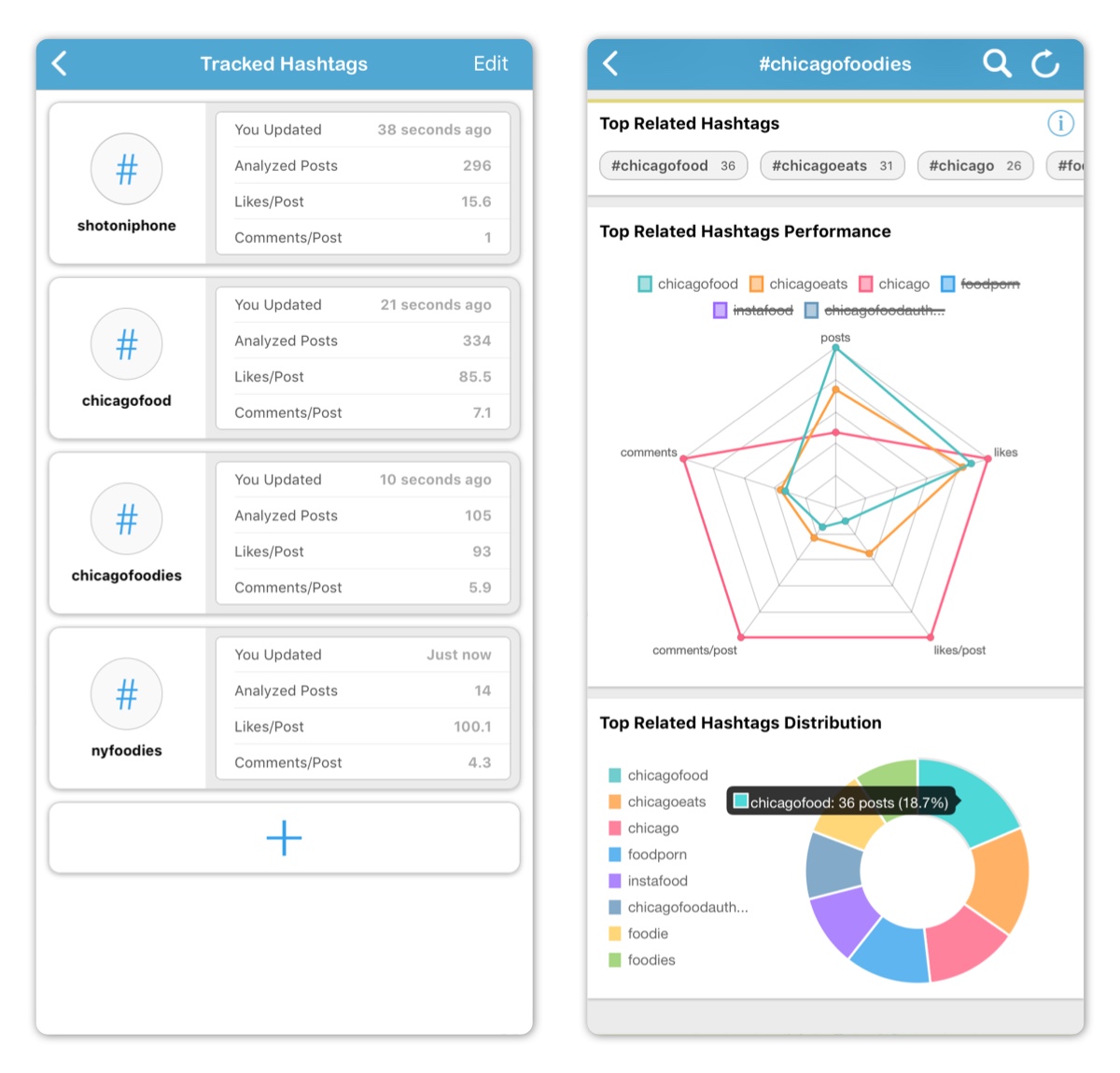
In this section, A new hashtag can be added by tapping the large + button. After typing hashtag name, hashtag will be added to the list. Hashtags can be deleted by tapping the Edit button on the top right.
The following information are available for each hashtag:
- Last Update Time (Updated from Hashtag Media Analysis)
- Analyzed Posts Number
- Average Likes per Post
- Average Comments per Post
Some information are not available until hashtag has been updated from Hashtag Media Analysis.
Hashtag Media Analysis
Tapping on a hashtag cell opens the Hashtag Analysis section which starts loading recent public posts tagged with that hashtag. Loading can be stopped at any time after collecting target number of posts and when all available posts have been loaded.
The Hashtag Analysis section is very similar to the Media Analysis section with some timing charts and sub-sections not being available to due to API limitation.
NOTE: Due to API limitation, only posts within the past 24 hours can be analyzed. Username and timing information are also not available for this analysis.
NOTE: Due to API limitation, you can query a maximum of 30 unique hashtags within a 7 day period. Lear more here.
NOTE: This section is only available for Instagram business accounts with Facebook login. Learn more here.
Required Subscription
This section requires Premium Subscription
Comments
0 comments
Please sign in to leave a comment.