Description
This section allows you to both plan and design your feed with complete ease. You can schedule unlimited Instagram photos, drag and drop to rearrange the order of your posts and re-publish some of your old Instagram content. Adding your most commonly used hashtags is one tap away. You can select post time from your usual post times, best post times or any other time. You'll get a notification reminder when it's time to post to Instagram with a few taps.
This section has the following sub-sections:
1. Added Posts Sub-Section
This is the top section where New Posts can be added. It also shows both Unscheduled, Scheduled, Overdue and Published posts. Default view shows the Unscheduled Posts to make it easy to schedule them.
Tapping the large + button allows for either taking a picture or importing pictures from Photos Library.
Multiple pictures can be selected from the Photos Library. If multiple pictures are selected, they'll be automatically scheduled based on account usual post times.
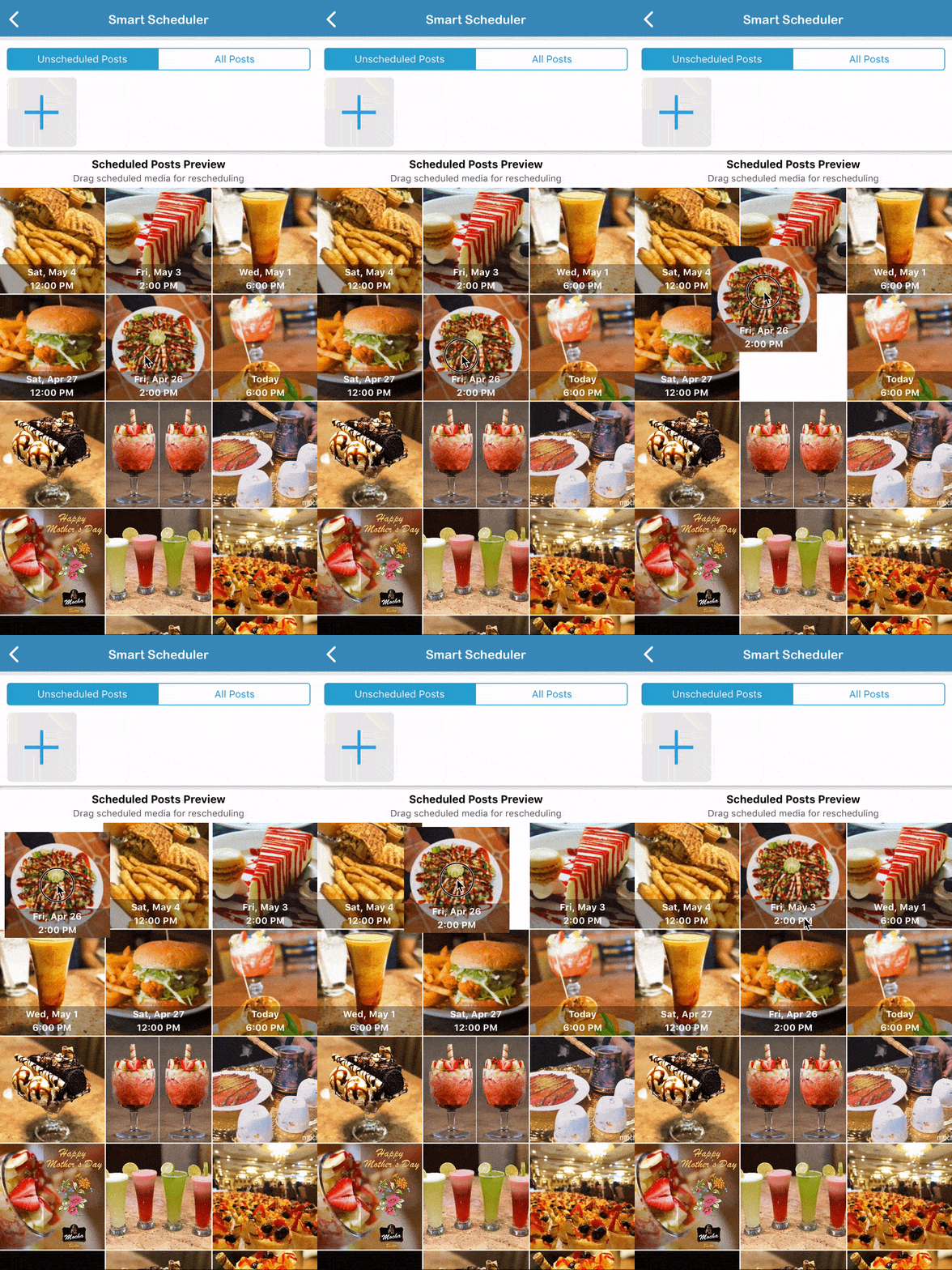
Pictures will be added to the Scheduled Posts Preview Sub-Section where they can be rearranged with simple drag and drop to achieve desired feed design.
2. Scheduled Posts Preview Sub-Section
In this sub-section, scheduled posts are added to the already published feed posts. This makes it easy to design feed and rearrange scheduled posts using drag and drop to achieve desired feed design.
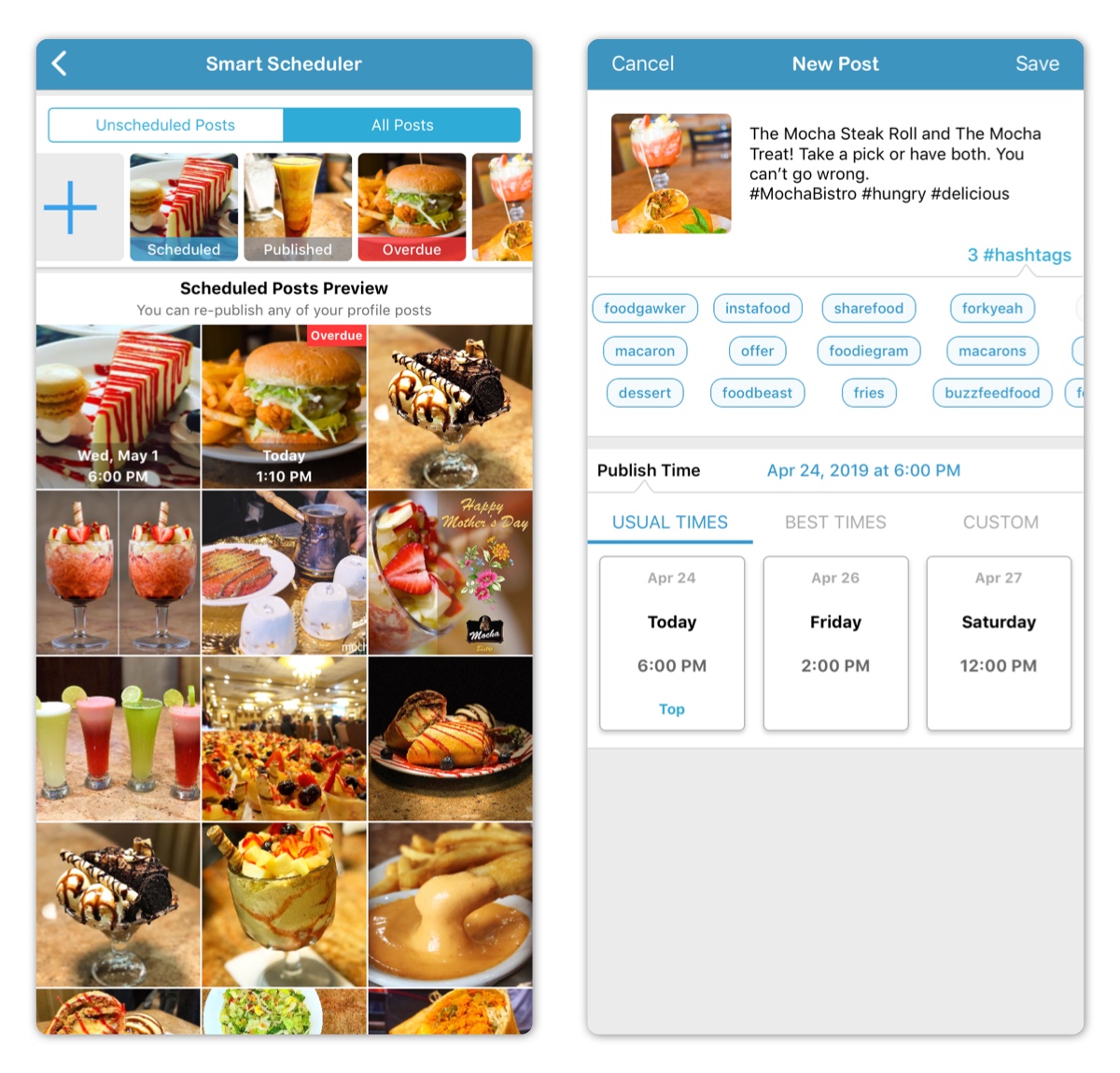
A post can be in either one of the following states:
1. New Post
This is a post that have just been added but hasn't been saved yet. If this post is not saved, it'll be deleted.
2. Unscheduled Post
This is post that have been saved but it not scheduled. Publish time is not set. It's shown on the Added Posts Sub-Section.
3. Scheduled Post
This is saved post that has been scheduled. Publish time is set to the future. It's shown on the Scheduled Posts Preview Sub-Section.
4. Overdue Post
This is a Scheduled Post whose post time is in the past. It was not published on time. It's shown on the Scheduled Posts Preview Sub-Section.
5. Published Post
This is either a Scheduled Post that has been marked as published or an already published feed post.
6. Deleted Post
This is a saved post that has been deleted. It can't be restored anymore.
Tapping on any saved non-published post allows for the following:
- Editing Post Caption
- Adding Hashtags to Caption
- Setting Publish Time
- Deleting Post
- Publishing Post Now
- Marking Post as Published
Tapping on any published post allows for the following:
- Republishing Post Now
- Scheduling Post for Later
Required Subscription
This section requires no subscription as it's FREE.
Comments
0 comments
Please sign in to leave a comment.