Description
In this section, engaged users are listed and can be sorted based on their level of engagement and in different ways. This is very helpful in knowing users that need to be engaged with the most to promote more engagement and reciprocity.
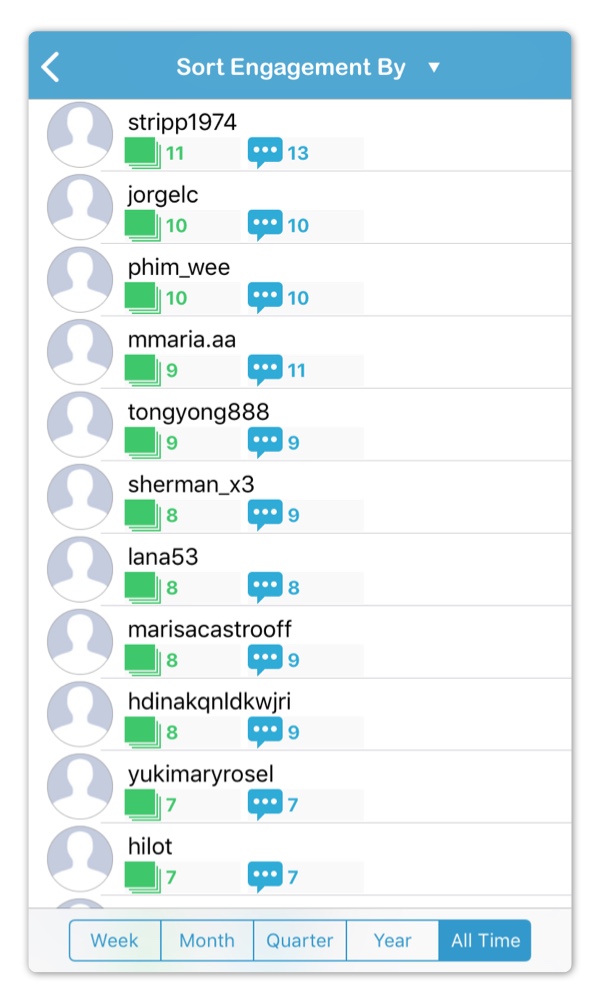
Engaged users can sorted by the following:
- Users with Most Commented Media (Default)
- Users with Least Commented Media
- Users with Most Comments
- Users with Least Comments
Engagement can be filtered by the following time periods:
- All Time (Default)
- Year
- Quarter
- Month
- Week
Tapping on user image allows for the following:
- Opening user profile on Instagram
- Showing all posts commented on by user
- Showing all comments received by user
Tapping on the green media count button allows for showing all posts commented by user.
Tapping on the blue comments count button allows for showing all comments received by user.
Required Subscription
This section requires Premium Subscription
Comments
0 comments
Please sign in to leave a comment.